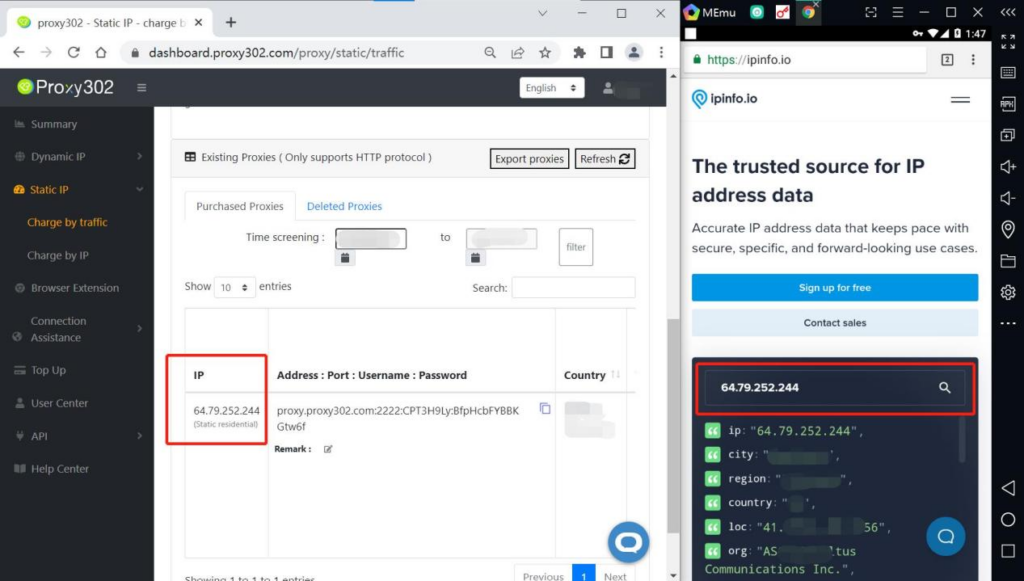
MEmu Emulator
Legacy guide: screenshots and helper-tool steps may differ from the current product.
This is an English translation of a legacy guide. For the original wording, read the Chinese original.
Download AndProxy software: Click here to download from the Google Play Store
Setting up a Proxy302 proxy in the MEmu emulator requires an active internet connection to overseas services. If you do not have access, please refer to the Non-Overseas Environment Connection Tutorial; if you already have access, proceed directly to the Overseas Environment Connection Tutorial.
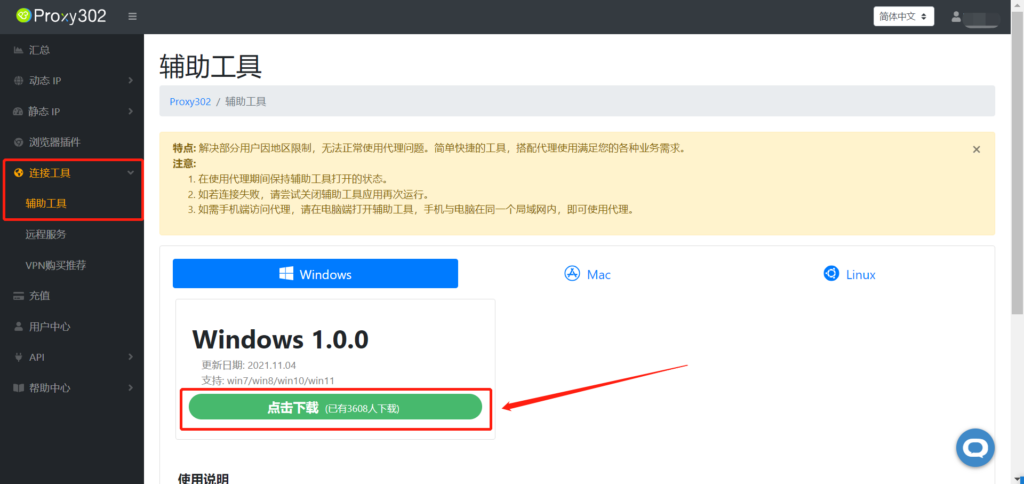
AndProxy Connection Tutorial for Non-Overseas Environments1. Log in to the Proxy302 client, open [Connection Tools] - [Auxiliary Tools], and click to download.
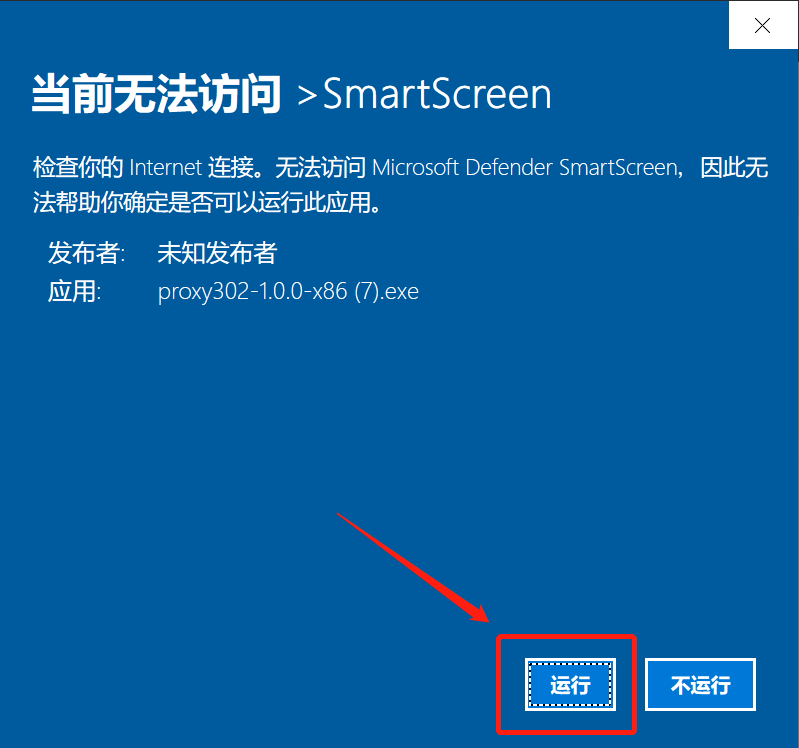
2. Run the application.
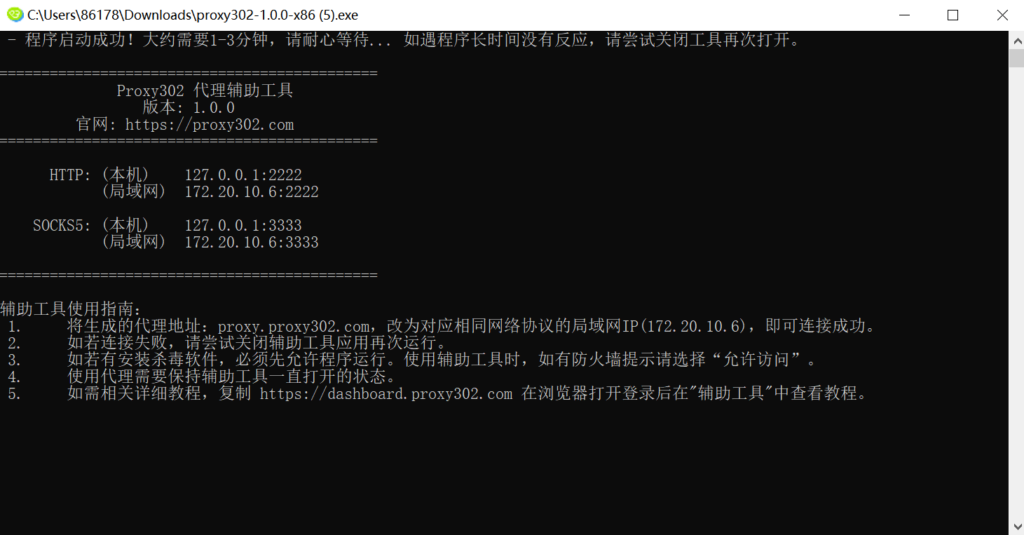
3. Wait for it to load. Once loaded successfully as shown below, the auxiliary tool has started. Minimize it to keep the tool running in the background.
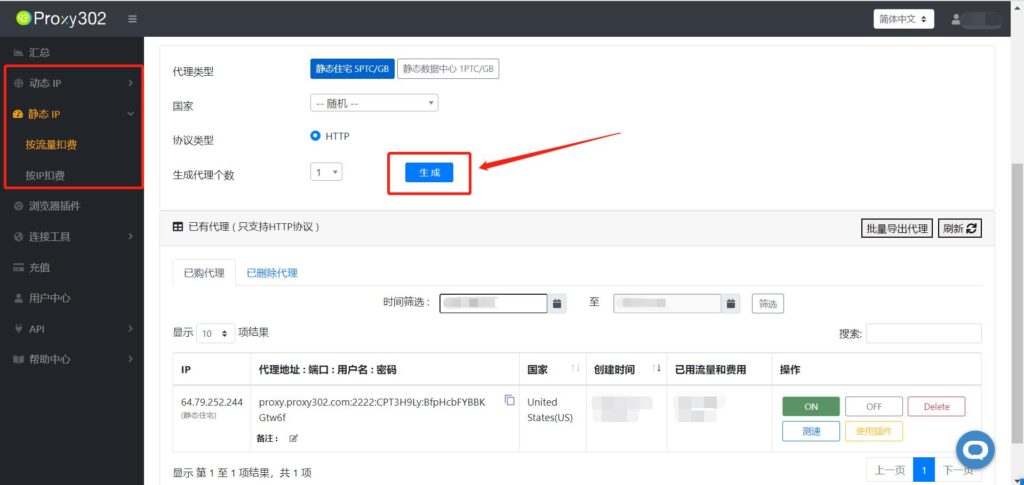
4. Open the Proxy302 client and generate a proxy.
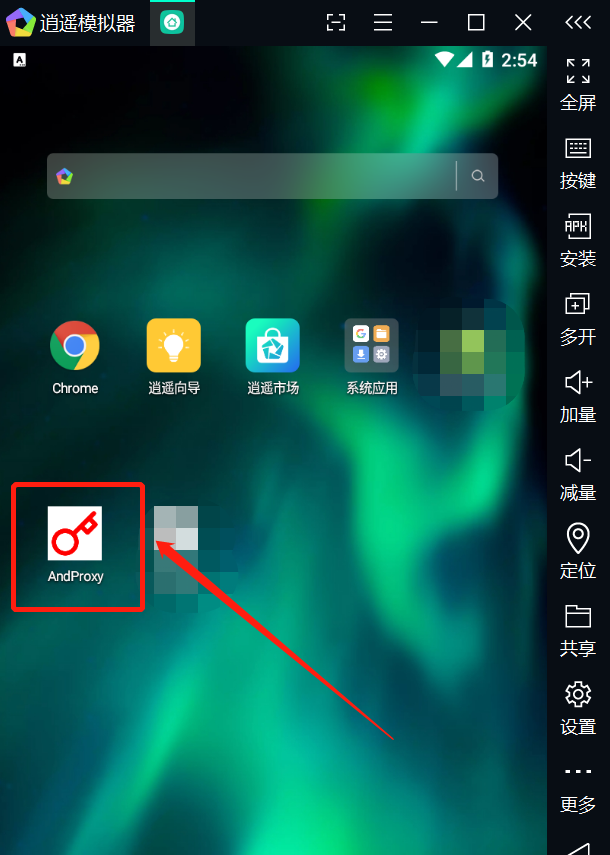
5. In the MEmu emulator, open the AndProxy software.
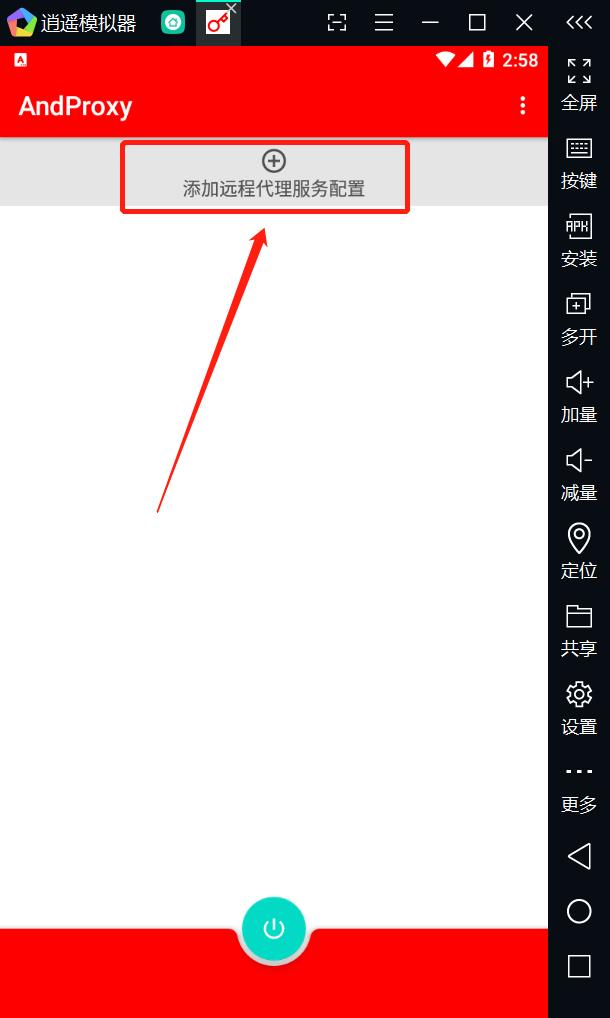
6. Click the “+” icon to add a remote proxy service configuration.
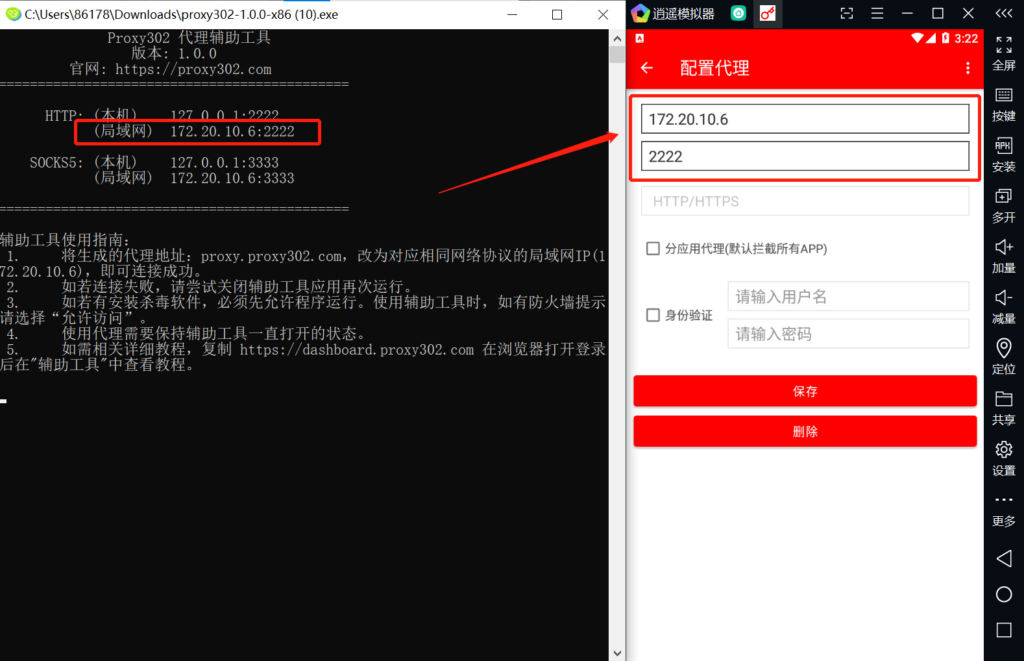
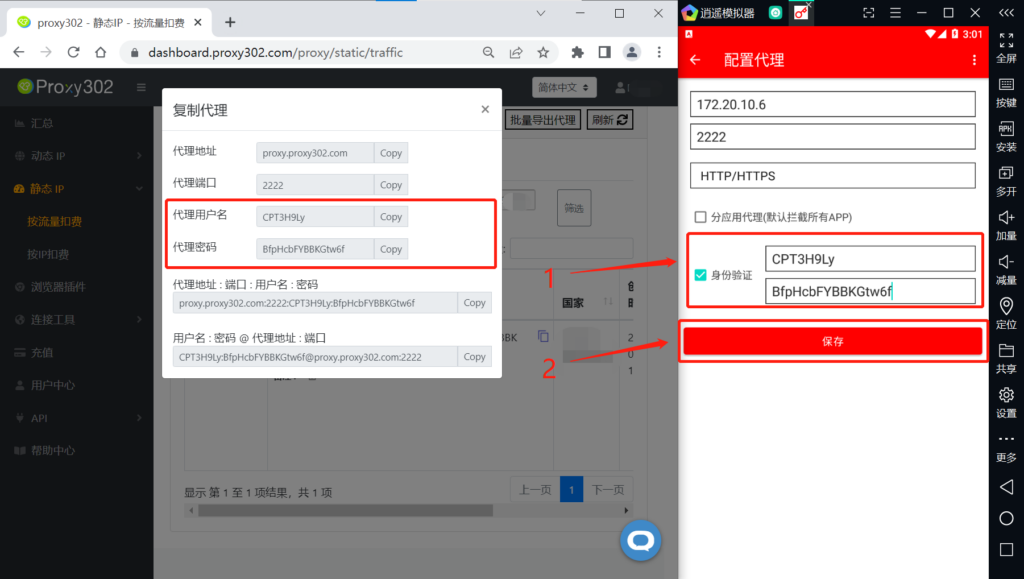
7. Open the Proxy302 auxiliary tool, copy the LAN proxy address and proxy port, and enter them into the Proxy Server IP and Proxy Server Port input boxes in the MEmu emulator, respectively.
8. Check the authentication box, open the Proxy302 client, copy the proxy username and password, and enter them into the Username and Password input boxes in the MEmu emulator, respectively, then click Save.
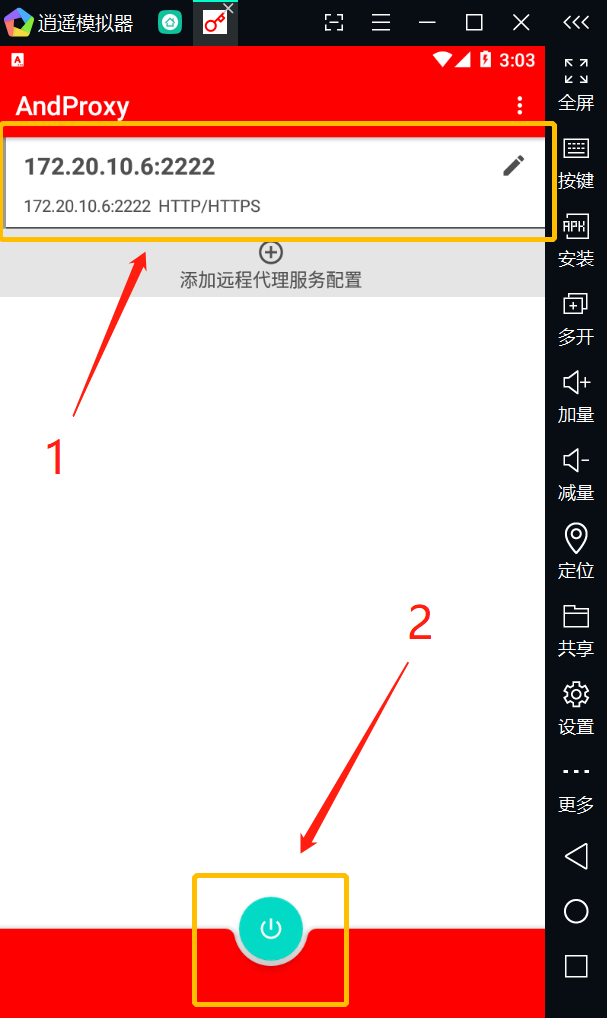
9. Select the required proxy service configuration and click the power button.
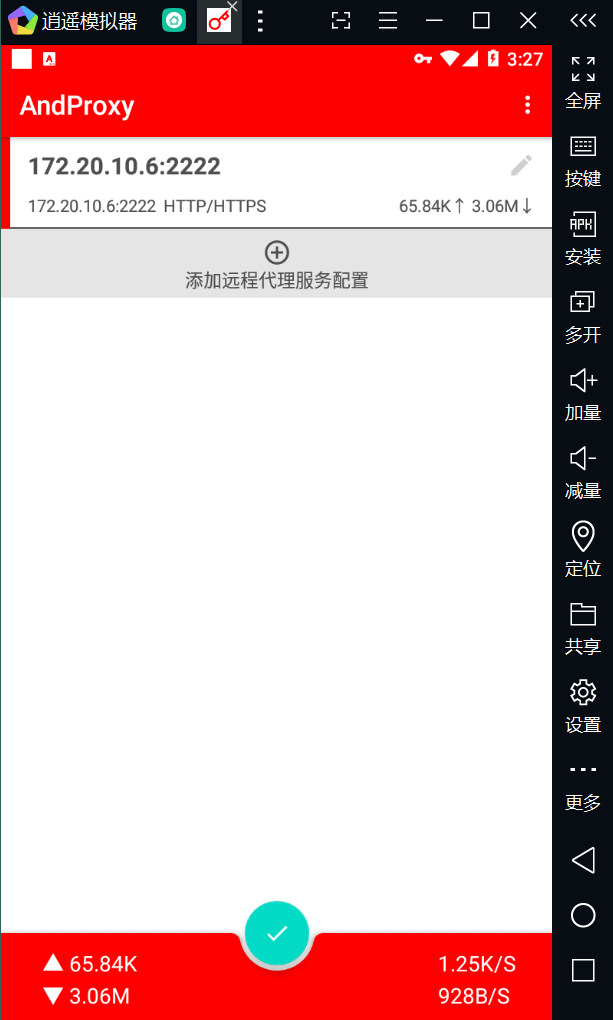
10. If the button displays a “√”, the proxy has been enabled successfully.
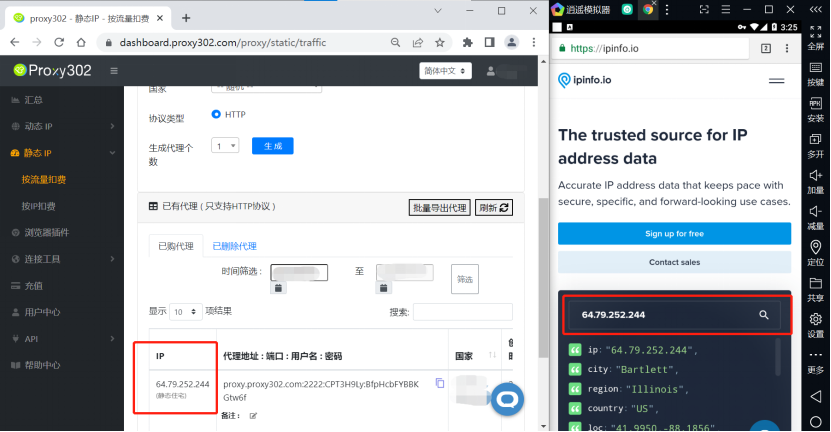
11. Enter “ipinfo.io” in the browser. If the IP address on the page matches the configured proxy IP, the proxy is set up successfully.
AndProxy Connection Tutorial for Overseas Environments
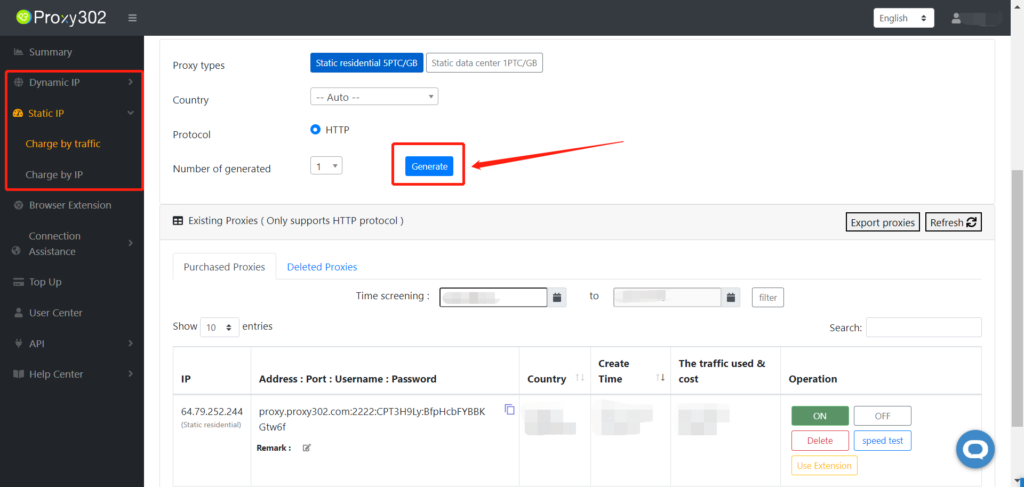
1. Log in to the Proxy302 client and generate a proxy.
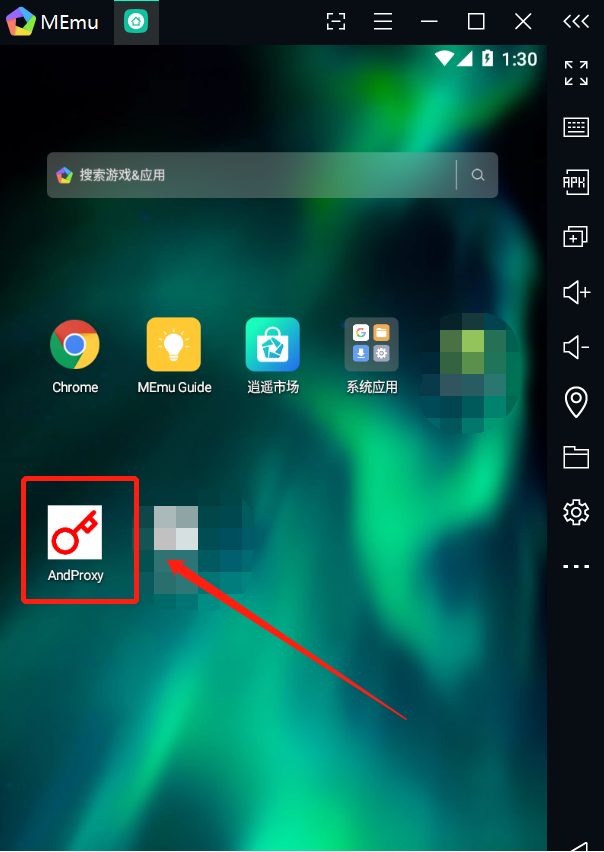
2. In the MEmu emulator, open the AndProxy software.
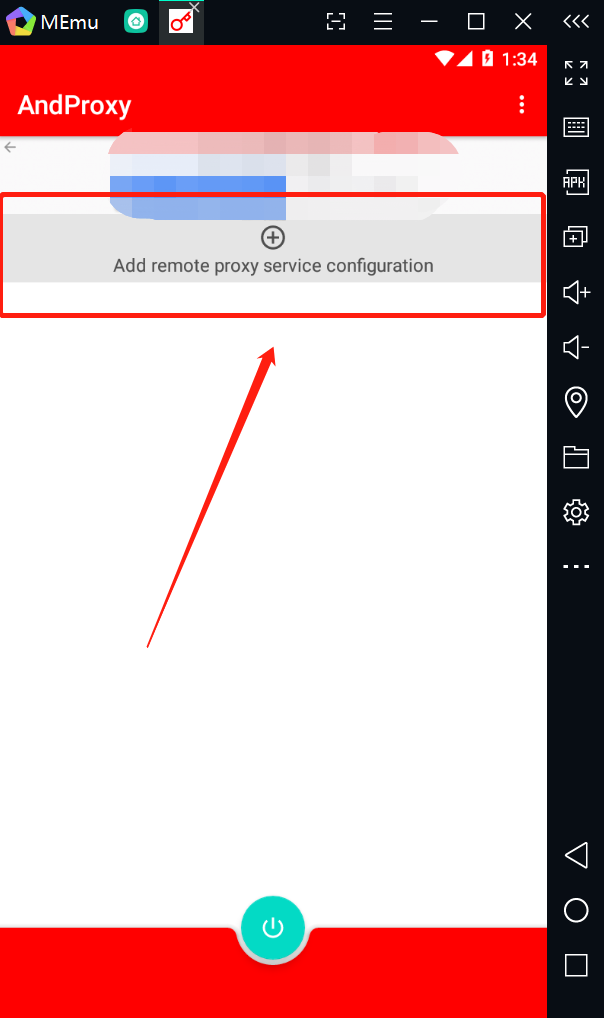
3. Click the “+” icon to add a remote proxy service configuration.
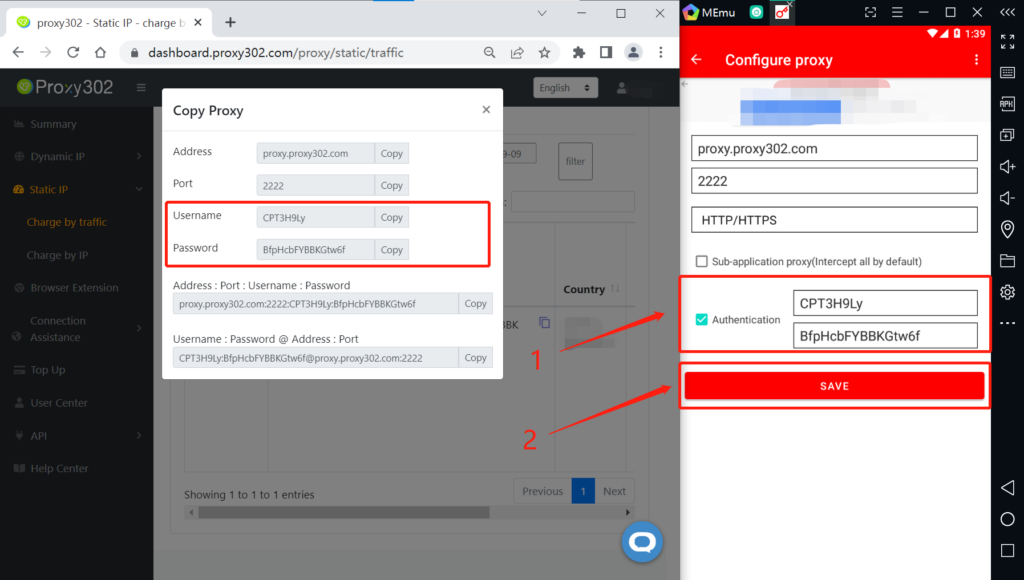
4. Open the Proxy302 client, copy the proxy address and proxy port, and enter them into the Proxy Server IP and Proxy Server Port input boxes in the MEmu emulator, respectively.
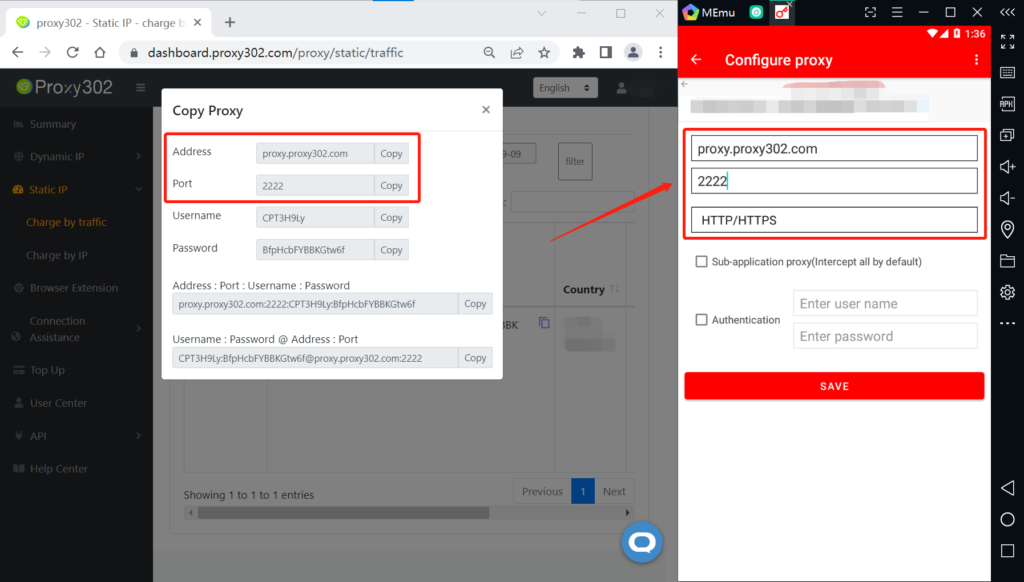
5. Check the authentication box, open the Proxy302 client, copy the proxy username and password, and enter them into the Username and Password input boxes in the MEmu emulator, respectively, then click Save.
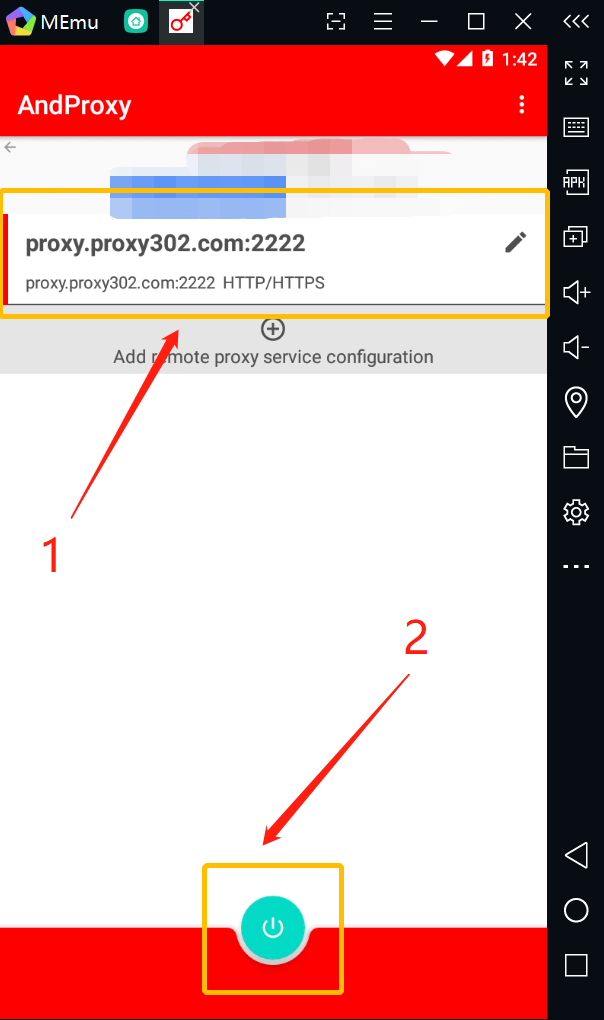
6. Select the required proxy service configuration and click the power button.
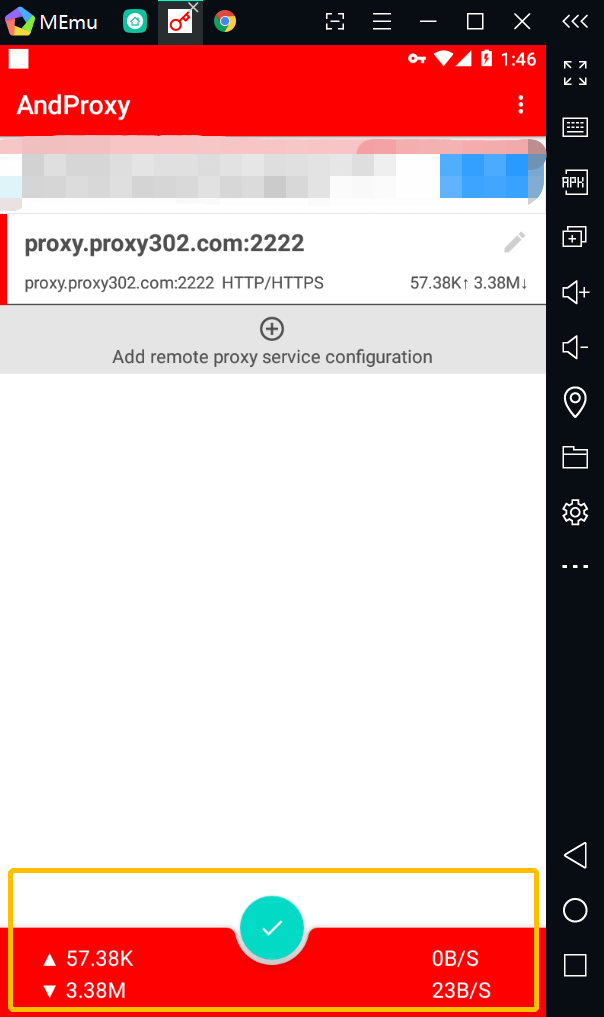
7. If the button displays a “√”, the proxy has been enabled successfully.
8. Enter “ipinfo.io” in the browser. If the IP address on the page matches the configured proxy IP, the proxy is set up successfully.