How to use a proxy in a non-overseas environment?
Legacy guide: screenshots and helper-tool steps may differ from the current product.
This is an English translation of a legacy guide. For the original wording, read the Chinese original.
There are 4 ways to achieve an overseas environment:
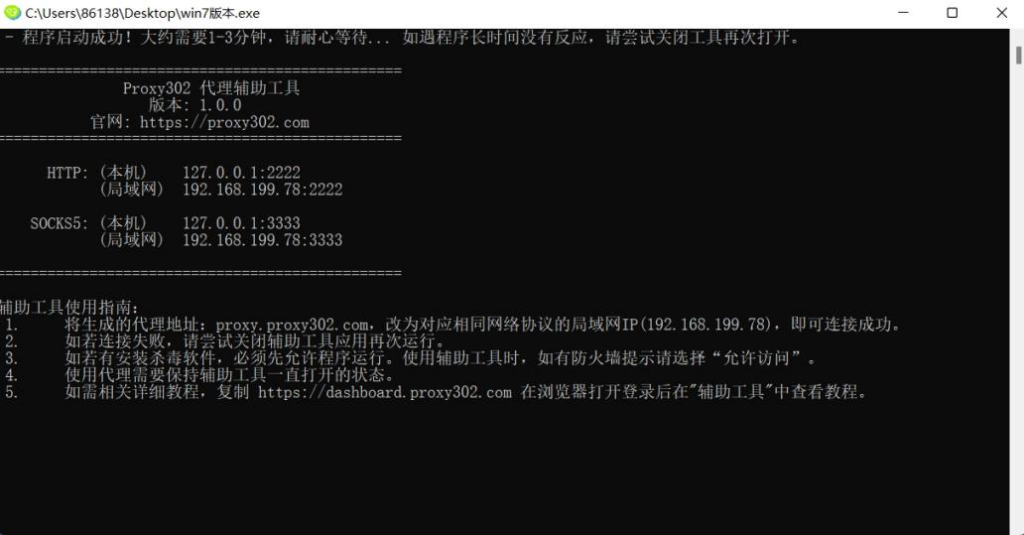
Auxiliary Tool (Free)Proxy302 provides a free auxiliary tool. Log in to the Proxy302 client, click Connection Tools - Auxiliary Tool to download it. After successful loading, as shown in the figure below, the auxiliary tool has started successfully. Minimize it to keep the auxiliary tool running in the background. During proxy usage, the VPN must remain enabled.
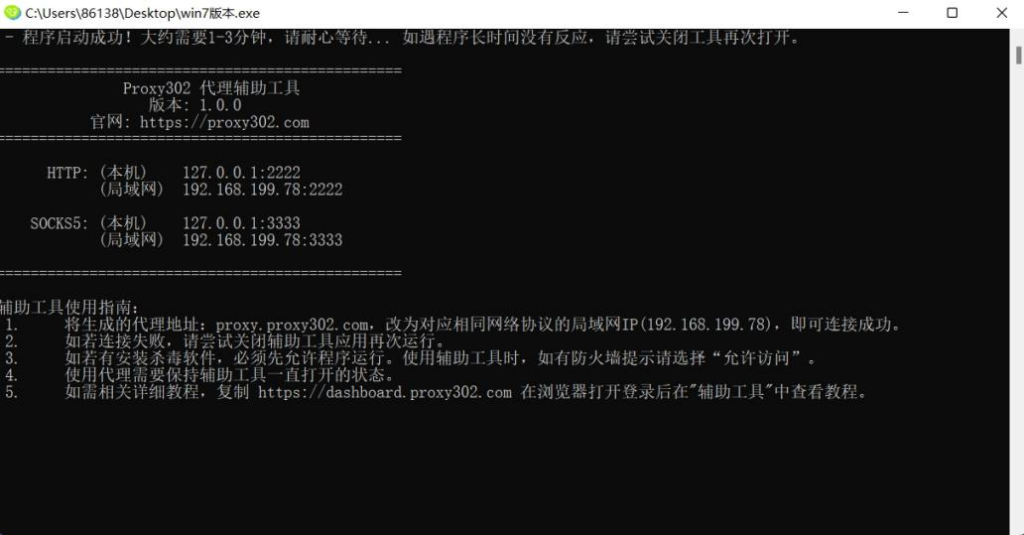
Auxiliary Tool - Download Tutorial
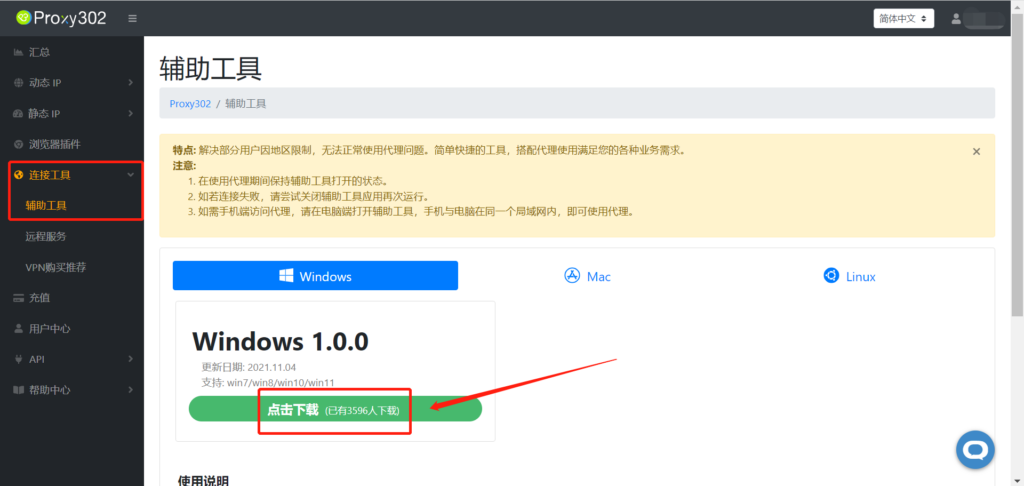
1. Open [Connection Tools] - [Auxiliary Tool] and click to download.
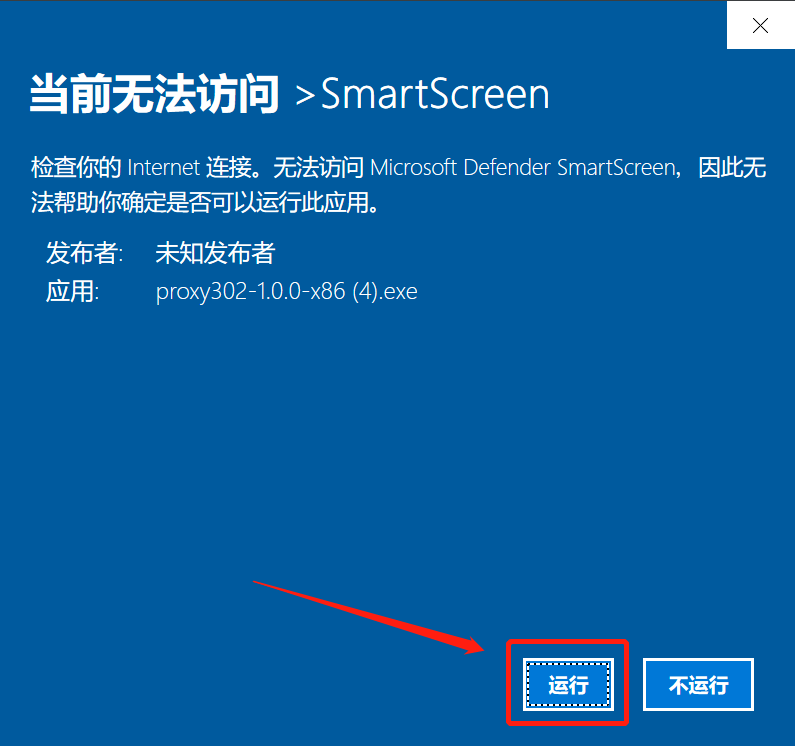
2. Run the application.
3. Wait for it to load. After successful loading, as shown in the figure below, the auxiliary tool has started successfully. Minimize it to keep the auxiliary tool running in the background.
VPN
VPN is one of the most common tools for bypassing network restrictions. VPN stands for "Virtual Private Network." A VPN can encrypt your internet traffic and mask your online identity. This makes it harder for third parties to track your online activities and steal data; encryption occurs in real-time.
Remote Service
The remote service in the Proxy302 client comes with built-in network bypass capabilities. Click Connection Tools - Remote Service to create a machine.
Remote Machine - Connection Tutorial
1. Log in to Proxy302 and create a machine.
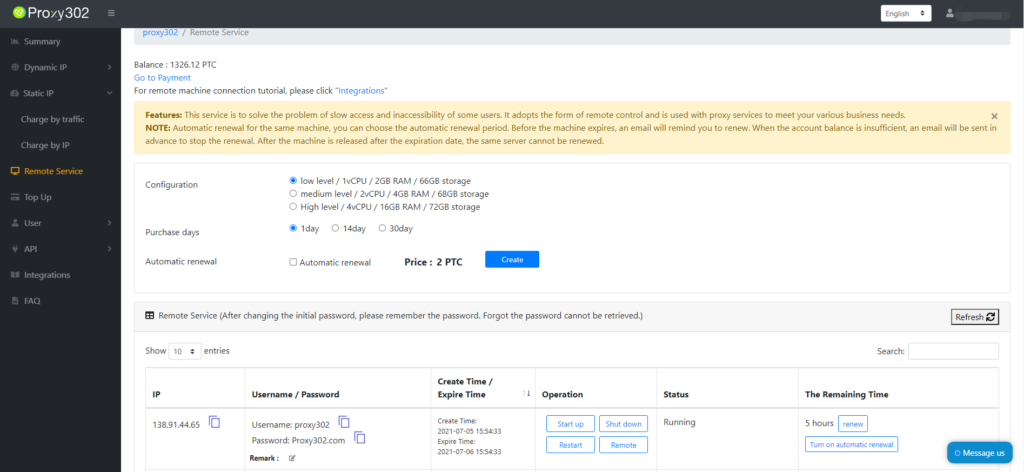
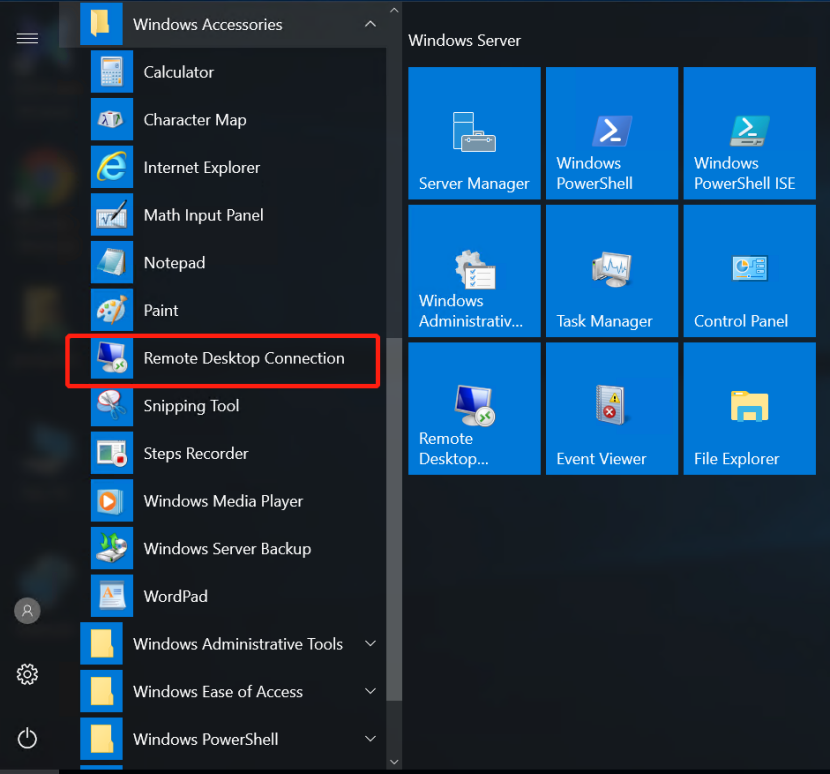
2. Find Windows Accessories in the settings and select Remote Desktop Connection.
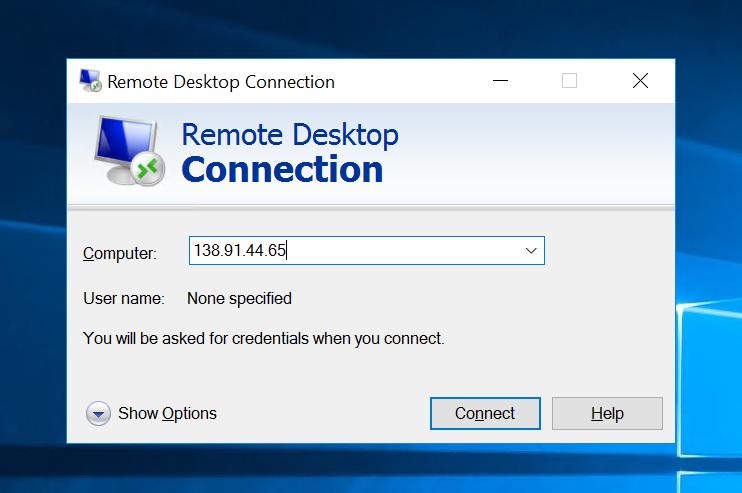
3. Enter the IP of the created machine.
4. Enter the username and password for the machine.
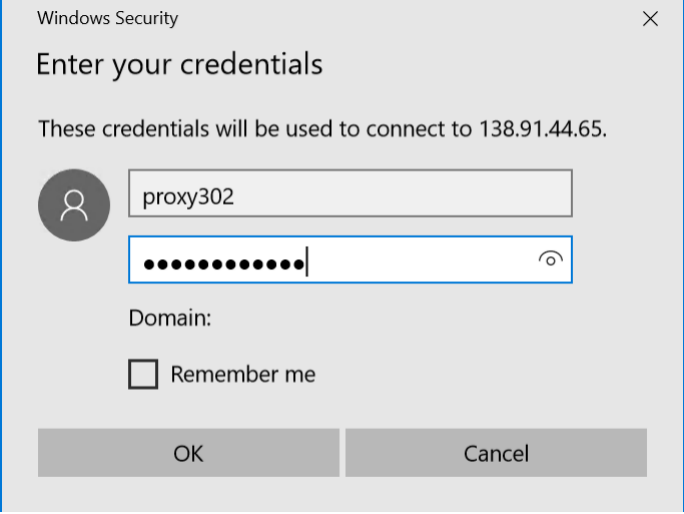
5. After a successful login, you can connect to the proxy and use it normally.

Remote Machine - Password Change
1. Log in to the Proxy302 client and create a remote machine.
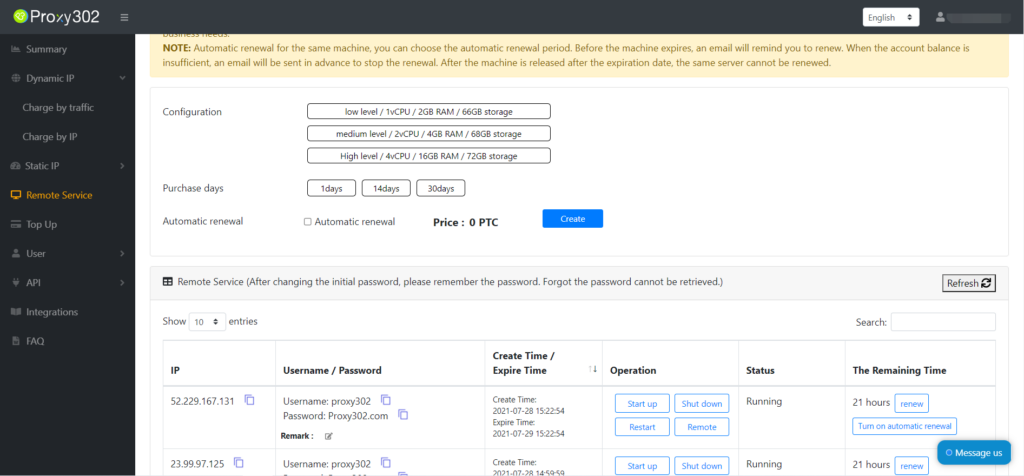
2. Log in to the created remote machine.

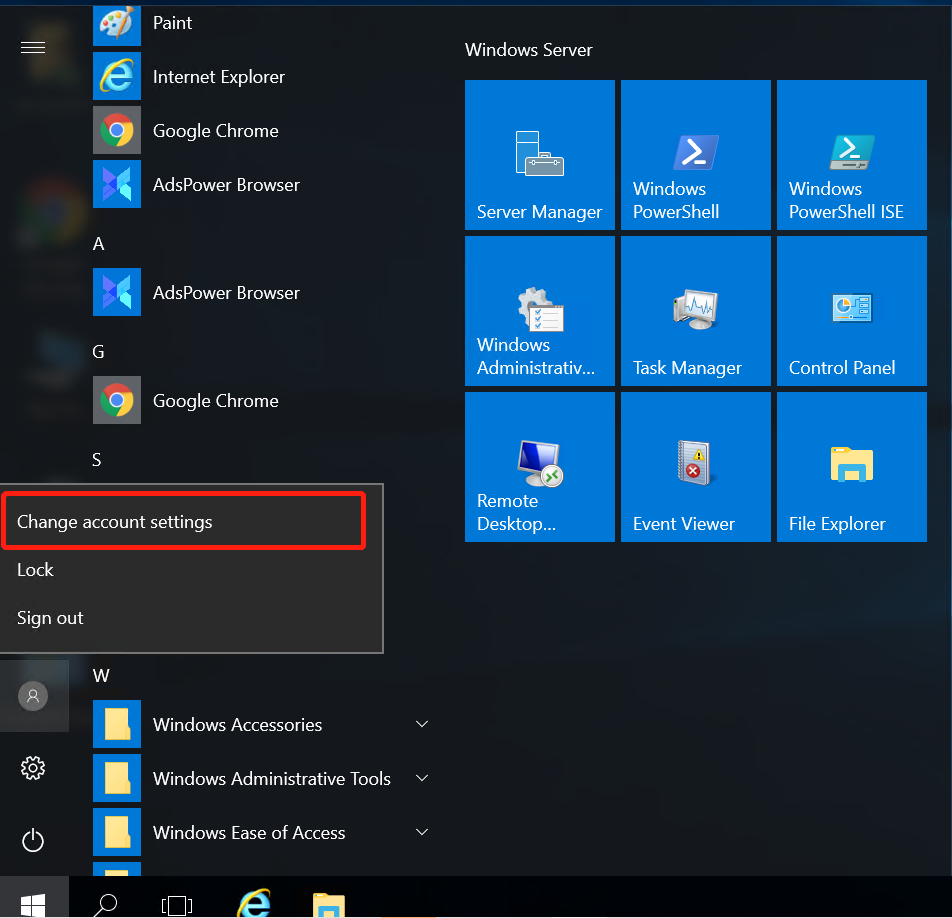
3. Select "Change account settings" in the menu bar.
4. Select Password under Sign-in options to change your password.
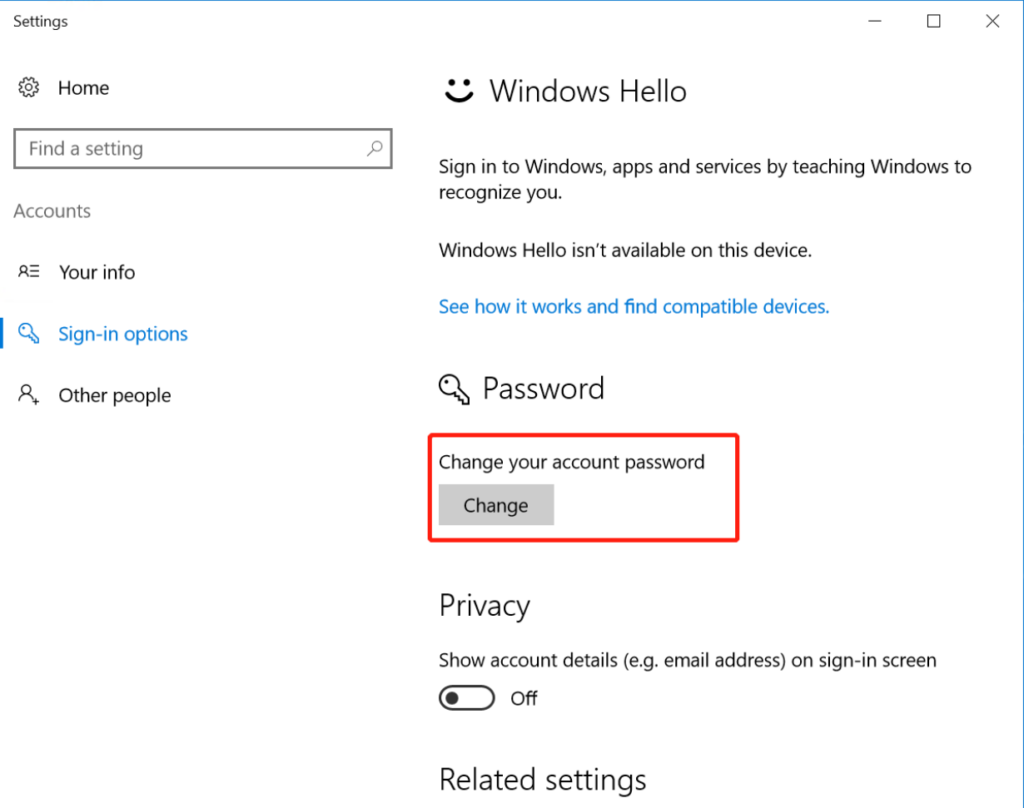
5. Note! After changing the initial password, please remember it! If you forget the password, it cannot be recovered.
Soft Router
A soft router is a router capable of bypassing network restrictions. It is a routing solution formed by a desktop computer or server combined with software, relying mainly on software application settings to achieve router functionality. Soft routers must be purchased offline by the user.